Racer Mode

Get to the Start Line Ready

Tell FinnFitness your race, your date, and your goal. Racer Mode builds a plan from the training you already do, checks in with you every week, and shows you how ready you are along the way.

Free during beta
iPhone · TestFlight Beta
QR code that opens the FinnFitness TestFlight invite on iPhone Join on TestFlight

Scan with your iPhone camera to open the invite. TestFlight, Apple's free beta app, installs FinnFitness for you.
Pick your race

Running, Triathlon, and Cycling

Set a goal to finish or a goal time. Enter a recent race result and FinnFitness uses it to predict what you can do on race day.

Running

  • 5K
  • 10K
  • Half marathon
  • Marathon
  • Ultra (50K)

Triathlon

  • Sprint
  • Olympic
  • Half (70.3)
  • Full (140.6)

Cycling

  • Any distance
  • Single or multi-day, like 200 miles over two days
  • Power and FTP supported
Step 1

A Plan Built From Where You Are Today

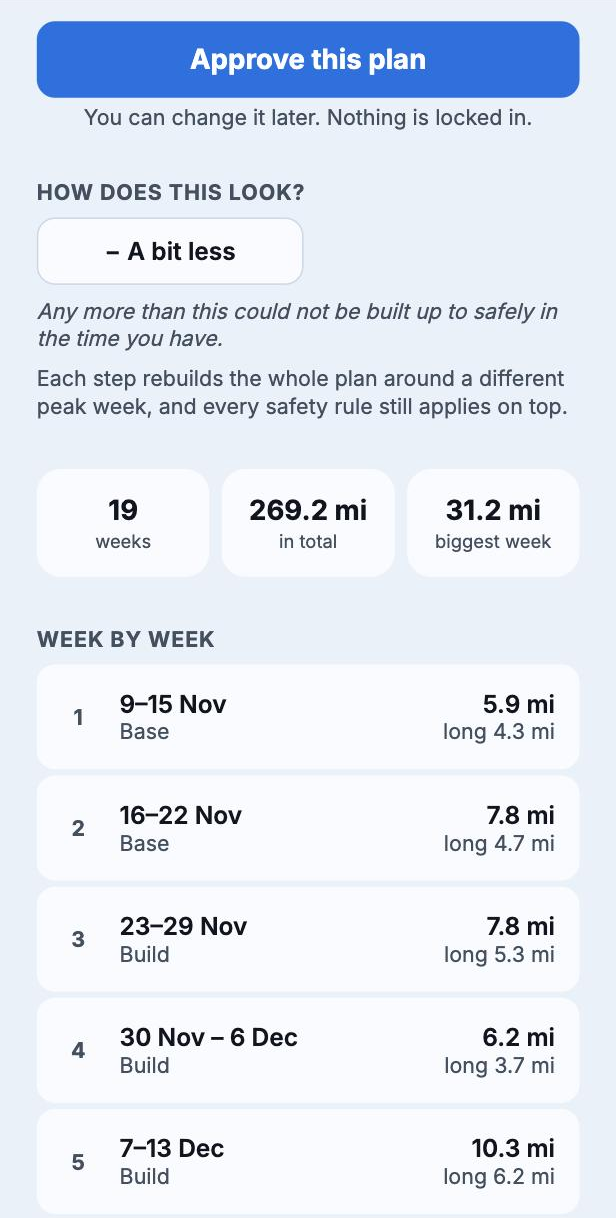
Racer Mode starts from your training history in the app and in Apple Health, and only asks for what it cannot work out on its own. Your plan moves through base, build, peak, and taper, with easier weeks built in and your long session on Saturday.

You see the whole plan before it starts. Make it easier or harder, then approve it. If your date is too close to train for safely, FinnFitness says so and tells you the earliest date or the longest distance that would work.

Race plan preview with difficulty control and approve button
Step 2

A Weekly Check-In That Plans Around the Weather

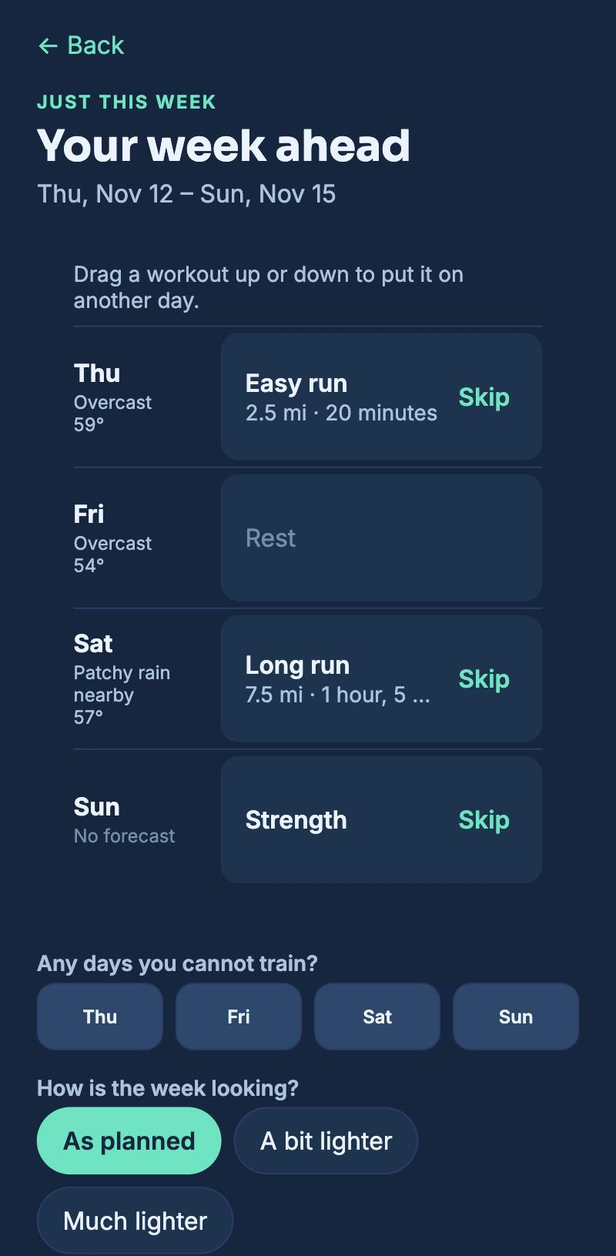
Every Sunday evening you review the coming week. Move sessions, mark days you will be away, or ask for a lighter week. FinnFitness checks the forecast and puts your long run or ride on the day with the best weather. Once you confirm, the week is set.

Weekly review table with the forecast for each day
Step 3

Know How Ready You Are

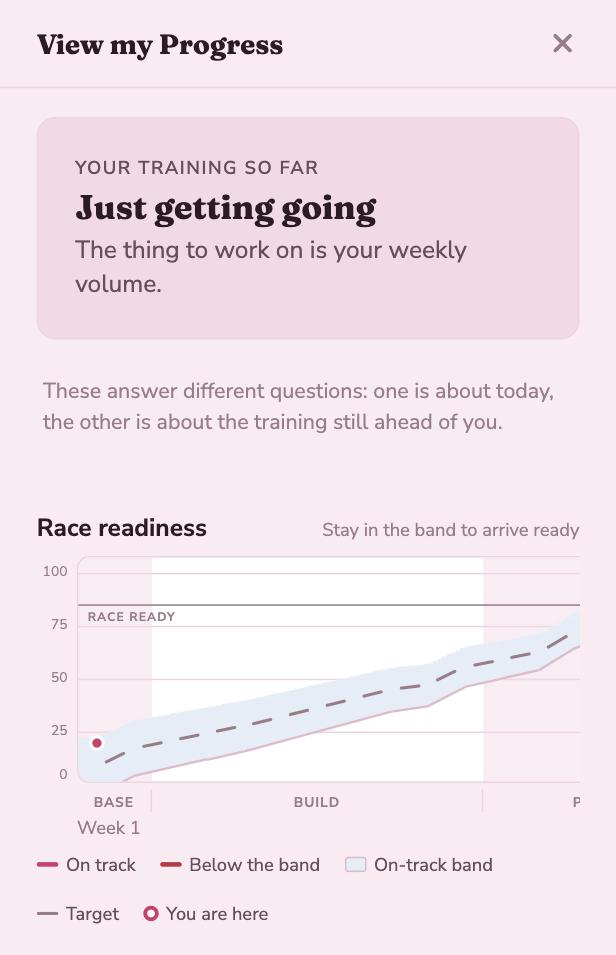
Two plain answers for every race: how you would do if you raced today, and how your training is going. The readiness chart shows the band to stay inside. Stay in it and you will be race ready.

If you start to slip, FinnFitness tells you early and gives you three ways back: an easier plan, a later race, or a shorter one.

Readiness chart with target band and you-are-here marker
Also in Racer Mode

The Details a Coach Would Handle

More Than One Race

Signed up for a marathon and a sprint triathlon? Add both. FinnFitness builds one week that trains for each and gives the next race more time as it gets closer.

Strength That Supports Your Race

Gym days stay in your plan as full-body strength sessions built for runners, riders, and triathletes, using the equipment at your gym.

Your Watch Does the Logging

Workouts from Apple Health or Health Connect check off your planned sessions. After race day on iPhone, your result is filled in from your watch for you to confirm.

Works Around Injuries

Tell the app what hurts and how badly. Sessions change to match, like swapping runs for cross-training while a knee recovers.

Heart Rate and Power Targets

Each session shows the effort to hold, with heart rate zones and, for cyclists, power based on your FTP.

Race History

Every finished race, including the tough days, goes into your history and helps set up your next plan.

After race day

Back to the Gym When You Are Done

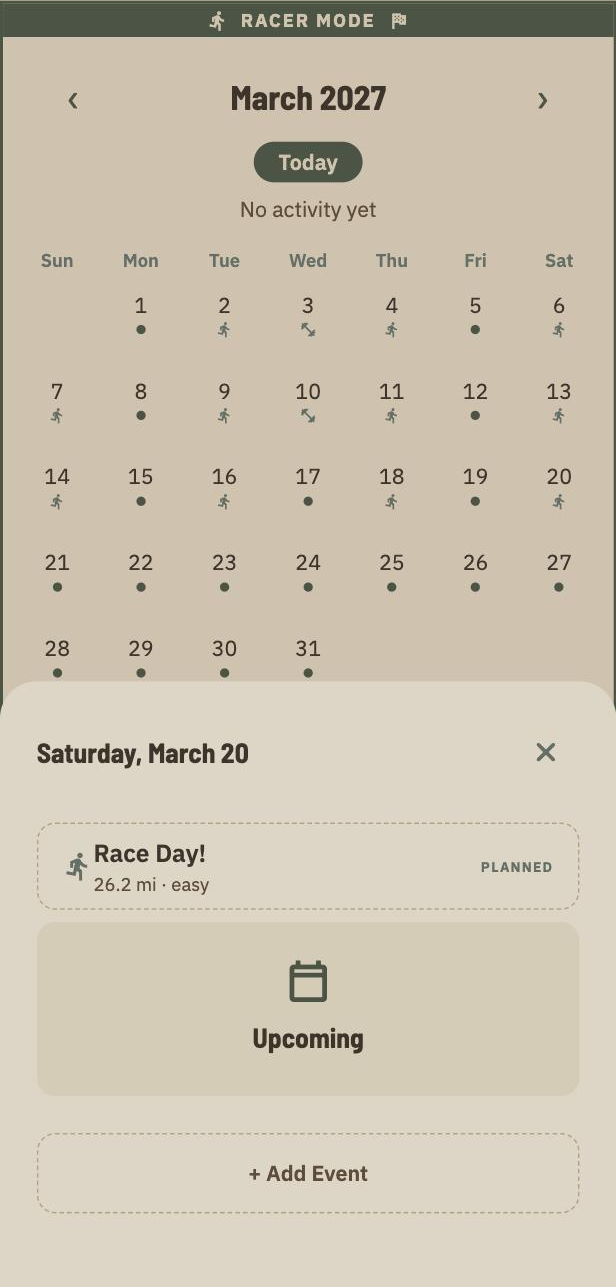
While you train for a race, your regular gym program pauses. Turn Racer Mode off and it picks back up where you left off.

Calendar showing race sessions, strength days, and race day

FinnFitness training plans are for informational purposes and are not medical advice. Talk to a doctor before starting a new training program. See the Terms and Conditions.